If dynamic pages are cached the wrong way, users can see old prices, old metadata, or private data in the wrong place. My short take: use Cache-Control first, keep browser TTLs short, let CDNs cache public responses with s-maxage, add ETag or Last-Modified for rechecks, and use Vary only when the response changes by request context.
Here’s the article in plain terms:
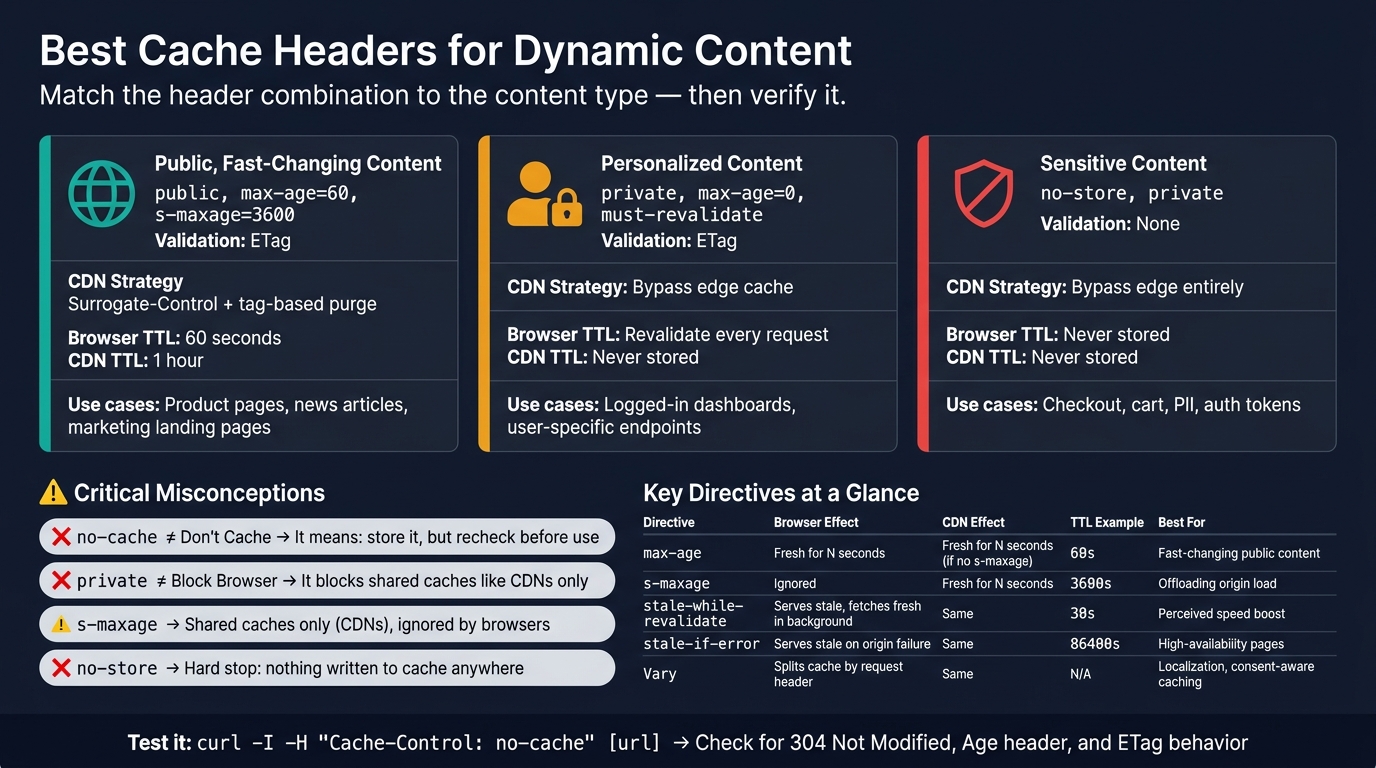
- Public dynamic pages: I’d usually use short browser caching, a longer CDN TTL, and a purge path when content changes.
- Personalized pages: I’d use
privateand revalidation so shared caches do not store user-specific output. - Sensitive pages: I’d use
no-storeso nothing is written to cache. - Rechecks:
ETagandLast-Modifiedhelp return304 Not Modifiedinstead of a full200response body. - Variants:
Varyis for cases like language or consent state - but too many variants can crush cache hit rate. - Edge rules:
Surrogate-Controllets me set CDN behavior apart from browser behavior.
A few points matter most:
no-cachedoes not mean “don’t cache.” It means “store it, but recheck before use.”privatedoes not block browser caching. It blocks shared caches like CDNs.s-maxageonly affects shared caches.no-storeis the hard stop for pages with tokens, checkout data, or PII.
| Content type | Header pattern I’d start with | Why |
|---|---|---|
| Public, fast-changing | public, max-age=60, s-maxage=3600 |
Short browser TTL, more edge offload |
| Personalized | private, max-age=0, must-revalidate |
Stops shared-cache storage |
| Sensitive | no-store, private |
No storage at all |
Bottom line: I’d treat dynamic caching as a header set, not a single header. Start with scope, set short TTLs, add validation, and test with curl and response headers like Age, ETag, and 304 behavior.
Cache-Control Headers for Dynamic Content: Quick Reference Guide
Deep Dive into HTTP Caching: cache-control, no-cache, no-store, max-age, ETag and etc.
Cache-Control: The Primary Header for Dynamic Responses
Once browser and edge cache scope is set, Cache-Control handles the rules for freshness and sharing. It tells caches if a dynamic response can be stored, where it can live, and how long it stays fresh. Get these directives right, and you get fast delivery without serving old content or hammering your origin with avoidable requests.
Use these directives to manage freshness, privacy, and edge caching behavior.
| Directive | Example Value | Browser Effect | CDN Effect | Typical Use |
|---|---|---|---|---|
| max-age | max-age=60 |
Fresh for 60s | Fresh for 60s if no s-maxage |
Fast-changing content, non-sensitive data |
| s-maxage | s-maxage=3600 |
Ignored | Fresh for 1 hour | Offloading origin load, shared data sets |
| public | public |
Can cache | Can cache | Non-authenticated pages, public data only |
| private | private |
Cache locally only | Must not cache | Logged-in user pages, user-specific endpoints |
| no-cache | no-cache |
Must revalidate | Must revalidate | Pages that must revalidate before every use, live data endpoints |
| no-store | no-store |
Do not store | Do not store | Transactional or sensitive pages, PII or security tokens |
| stale-while-revalidate | stale-while-revalidate=30 |
Serves stale while fetching fresh | Serves stale while fetching fresh | Perceived speed boost, eventual consistency |
| stale-if-error | stale-if-error=86400 |
Serves stale on origin error | Serves stale on origin error | High-availability pages, fail-safe responses |
How to Use max-age and s-maxage with Short TTLs
max-age sets freshness in seconds. s-maxage applies only to shared caches like CDNs. That split gives you tight browser TTLs while letting the CDN keep a copy longer.
A common setup for product pages with frequent price or inventory changes is Cache-Control: public, max-age=60, s-maxage=3600. The browser treats the page as fresh for 60 seconds, while the CDN can keep it for 1 hour. If price or stock changes, purge the CDN programmatically so users don’t keep seeing old data.
When to Use public, private, no-cache, and no-store
public tells caches across the request path that the response is safe to store. Use it for pages with no user-specific data, like marketing landing pages, news articles, and other public content.
private tells shared caches not to store the response, while still allowing the user’s browser to keep a local copy. That makes it the right fit for logged-in dashboards or any page that changes by user.
no-cache does not mean “don’t cache.” It means the response can be stored, but it must be revalidated before each use. Use it when every request needs an origin check.
no-store is the strictest setting. Nothing gets written to cache at all. Use it for cart pages, checkout flows, and any response that includes personally identifiable information or authentication tokens.
How to Use stale-while-revalidate and stale-if-error
stale-while-revalidate lets a cache serve a slightly old response right away while it fetches a fresh copy in the background. That means the user gets a fast response, and the cache updates behind the scenes. It works well for dynamic pages that can handle a short window of staleness.
For marketing landing pages, Cache-Control: public, max-age=300, stale-while-revalidate=30, stale-if-error=86400 means the page serves from cache for 5 minutes, refreshes in the background, and can still be served from stale cache for 24 hours if the origin goes down.
stale-if-error is about resilience. It only applies when the origin fails, such as a 500, a timeout, or an unreachable server. Used together, these directives cut origin load and help keep pages available.
When freshness rules aren’t enough on their own, the next step is validation headers.
ETag and Last-Modified: Validation Headers That Cut Full Downloads
Once Cache-Control freshness runs out, ETag and Last-Modified help the browser check whether a cached response is still current without pulling the whole file again. The browser sends If-None-Match or If-Modified-Since. If nothing changed, the server replies with 304 Not Modified and no response body. That saves bandwidth and cuts origin load.
These headers do not replace Cache-Control. They work with it.
| Header | Validation Method | Change Detection Precision | Best Use Case | Implementation Effort | Primary Risk |
|---|---|---|---|---|---|
| ETag | Content hash or version token | High: detects any byte-level change | APIs, dynamic HTML, frequently updated content | High: requires consistent hash generation across deployments | Can break if different servers generate different hashes for the same content |
| Last-Modified | Timestamp | Low: limited to 1-second granularity | Static assets, simple CMS pages, sitemaps | Low: automatically provided by most filesystems | Can be inaccurate if server clocks are out of sync or content changes faster than once per second |
ETag for Precise Change Detection
An ETag is a token, usually a content hash or version ID, that the server adds to a response. The browser stores that token with the cached response and sends it back in If-None-Match on the next request. If the server sees the same ETag, it returns 304 Not Modified. If the token is different, it sends a new 200 OK.
ETag works well for dynamic content and APIs because it catches any byte-level change and does not depend on server clocks. But there is an ops risk here: if your ETag changes on every deploy, even when the content did not change, clients will keep pulling full responses for no good reason. The fix is simple in principle - generate ETag values as part of the build or deploy flow so identical content keeps the same token.
Last-Modified for Simple Time-Based Validation
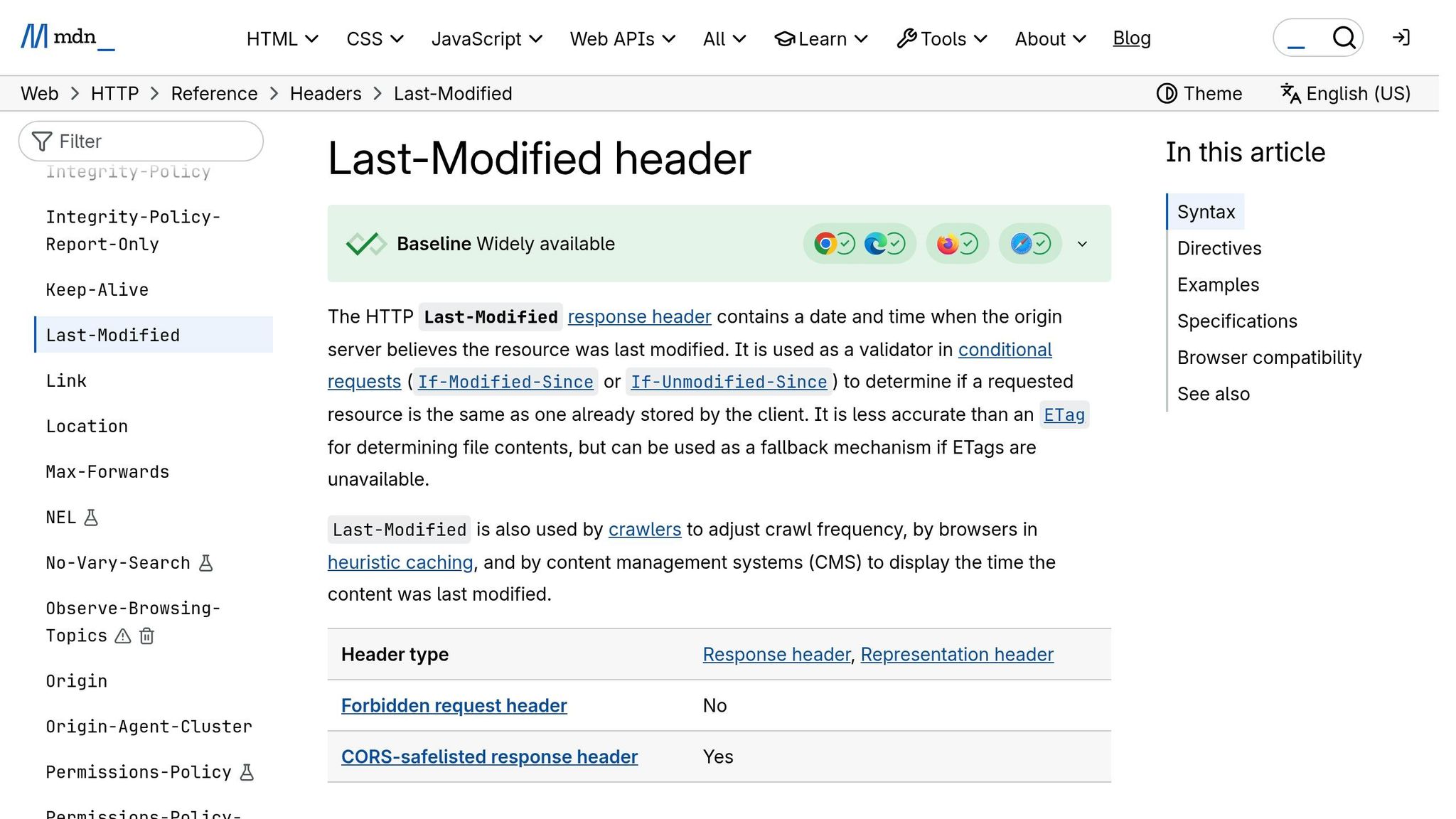
Last-Modified follows the same revalidation pattern, but it uses a timestamp instead of a hash. The server sends the date and time when the resource last changed. During revalidation, the browser sends that value back in If-Modified-Since, and the server checks it against the current modification time.
This is simpler to set up because many web servers and filesystems provide it by default. Still, it has limits. The timestamp has only 1-second granularity, so if content changes more than once in a second, the server may miss it. In distributed setups, clock drift can also cause false mismatches and extra downloads. Use Last-Modified for simple CMS pages and sitemaps. Use ETag for content that changes often.
For responses that vary by user, language, or edge rules, use Vary and Surrogate-Control.
sbb-itb-5be333f
Vary and Surrogate-Control: Caching Personalized and Edge-Delivered Content
Vary and Surrogate-Control deal with the last piece of dynamic caching: how a response changes based on request context and which cache is handling it. Once freshness and revalidation are set, the next issue is simple to state but harder to handle: what happens when the same URL can return different content based on language, consent state, or edge logic?
| Header | Cache Layer Affected | Common Values or Directives | Main Benefit | Main Risk | Best Dynamic Scenario |
|---|---|---|---|---|---|
| Vary | Shared caches | Accept-Language, Accept-Encoding, X-Consent-Hash |
Serves the right version for each request context | Cache fragmentation - too many variants lower hit rates | Localized pages or consent-aware personalization |
| Surrogate-Control | CDN / Edge only | s-maxage=60, stale-while-revalidate |
Separates edge TTL from browser TTL | Browsers ignore it, so browser and edge rules need separate handling | Fast-changing product or news data at the edge |
How Vary Stops the Wrong Version from Being Served
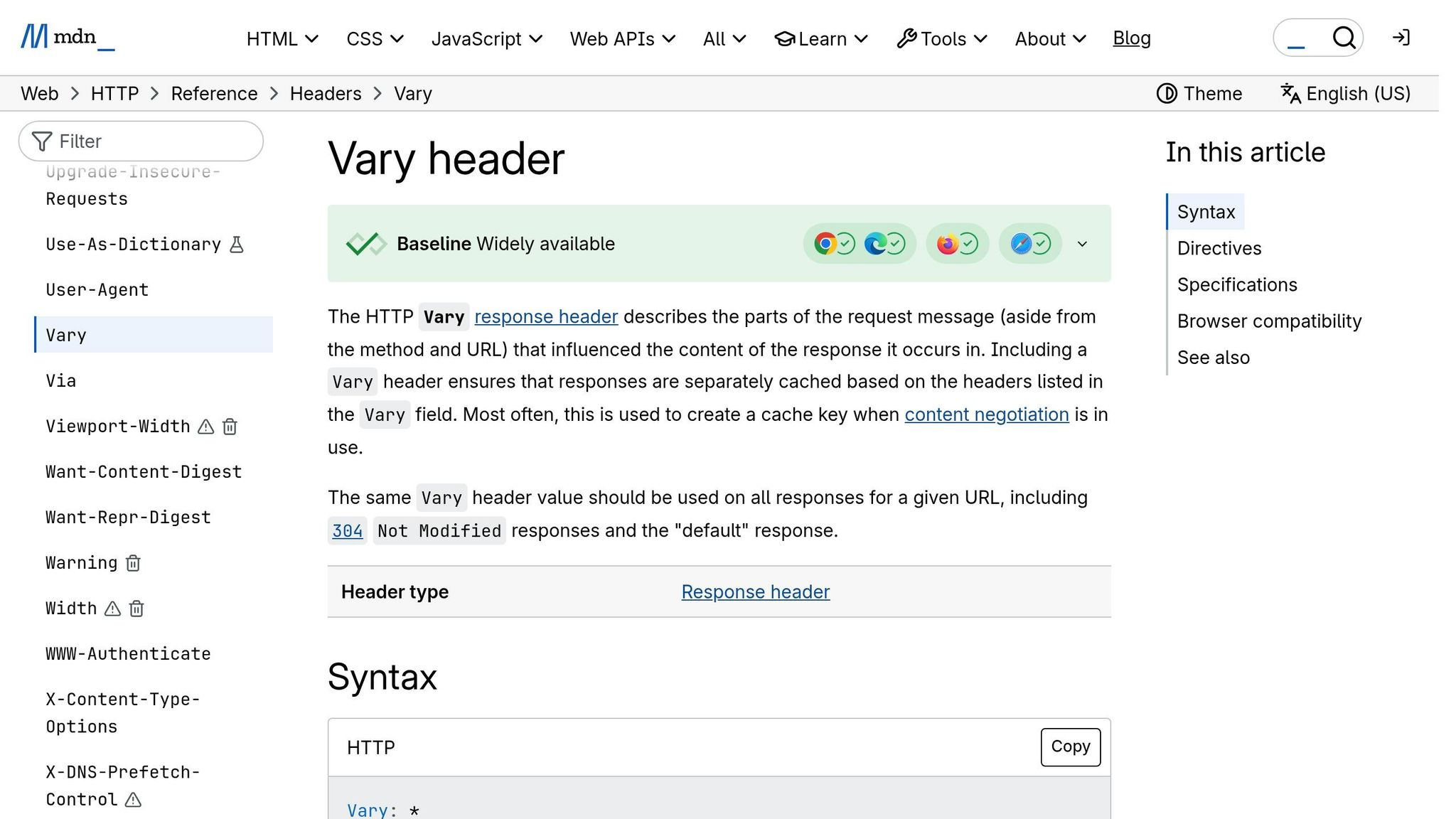
By default, caches key responses by URL. Vary changes that by adding request headers to the cache key, so the cache keeps a separate copy for each header-value combination.
Vary: Accept-Language is the standard way to handle localization. A request with Accept-Language: en-US gets a different cached copy than one with Accept-Language: fr-FR, even though the URL is the same. Vary: Accept-Encoding is also safe and common for serving compressed and uncompressed versions.
Keep Vary tight. Use a small, explicit set of headers.
Vary: User-Agent is widely considered harmful because there are thousands of user-agent strings in the wild. Each new string can create a new cache entry, and hit rates fall apart. Vary: Cookie causes the same kind of mess. It can wipe out cache reuse fast. A better move is to group users into a small number of cohorts at the edge, then vary on a normalized custom header instead of the raw user-agent string.
If you need consent-aware caching - say, to avoid serving cached marketing creatives to users who have withdrawn consent - add a custom header like X-Consent-Hash to the Vary value. That gives you a privacy-compliant cache key without exposing raw cookie data.
When Vary isn't enough, and the edge needs one set of rules while the browser needs another, that's where Surrogate-Control comes in.
How Surrogate-Control Sets CDN Rules Apart from Browser Rules
Cache-Control talks to every cache in the request path - browsers, proxies, and CDNs. Surrogate-Control talks only to CDNs and reverse proxies. Browsers ignore it, which makes it useful when you want separate edge behavior.
A common setup is Surrogate-Control: s-maxage=3600 with Cache-Control: max-age=0, must-revalidate. In plain English, the CDN can keep the response at the edge for 1 hour, while the browser checks for updates on every request. You offload traffic to the edge without leaving users stuck with stale content in their local cache. Use Surrogate-Control when edge TTLs and browser TTLs should not be the same.
Conclusion: Header Combinations for Fast and Safe Dynamic Content
Don't rely on single directives. Use header combinations as your default setup.
| Content Type | Cache-Control | Validation | CDN Strategy |
|---|---|---|---|
| Public, frequently updated | public, max-age=60, stale-while-revalidate=30 |
ETag |
Surrogate-Control + tag-based purge |
| Personalized | private, max-age=0, must-revalidate |
ETag |
Bypass edge cache |
| Sensitive (no storage) | no-store, private |
None | Bypass edge entirely |
Start with Cache-Control. Then add ETag or Last-Modified so clients can revalidate instead of pulling the full response each time. Use Vary only when the content actually changes by request variant. If browser and edge TTLs need to differ, use Surrogate-Control.
Then test it. A simple command like curl -I -H "Cache-Control: no-cache" will tell you a lot. Check for 304 Not Modified, look at Age, and compare edge headers with origin headers.
The job is pretty simple: match the header pair to the content type, then verify that behavior in the browser and at the edge.
FAQs
When should I use no-store instead of no-cache?
Use no-store when sensitive information must never be saved in local or shared caches, such as private account or financial data.
no-cache lets caches keep the response, but they must check with the origin server before using it again. no-store tells browsers and intermediate caches not to save any part of the request or response.
Should I use ETag or Last-Modified for dynamic pages?
Yes - use ETag and Last-Modified for dynamic pages.
They let browsers, apps, and crawlers check whether a page has changed before downloading the full response.
If nothing changed, the server can return 304 Not Modified, which saves bandwidth.
For dynamic content, keep ETag generation consistent and tie it to your build or update pipeline. That helps you avoid cache misses when the page itself didn't change.
How much Vary is too much?
Vary can become a problem when overuse changes what the CDN stores in cache and cuts your cache hit ratio.
Use it only when you need it. And keep it limited to a small, defined set of headers instead of broad headers or values that change all the time.
If you need personalization, cache a generic shell first. Then add the personalized content separately.